Claude prompt
Live preview ↗
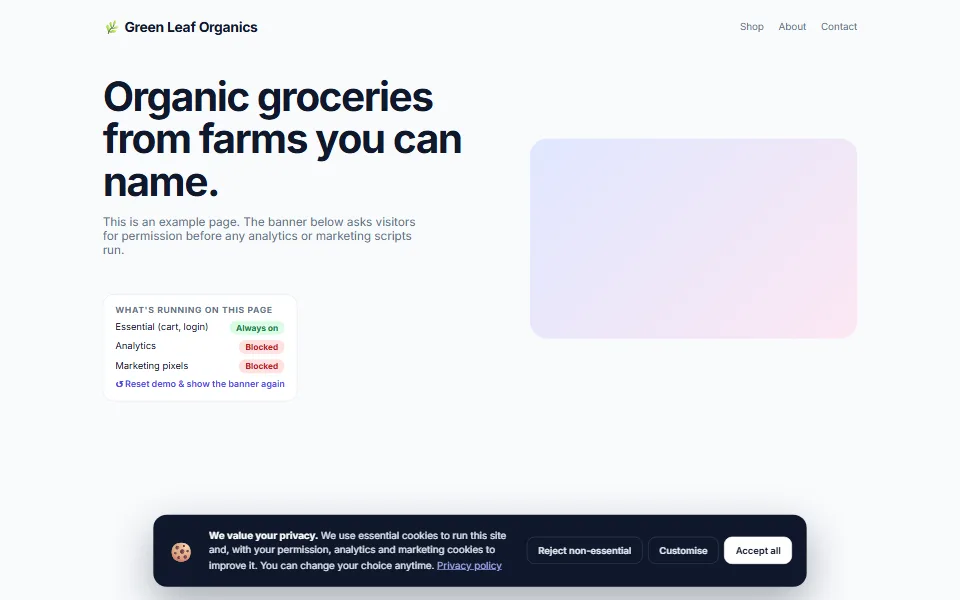
Fair consent banner that blocks trackers until visitors agree
Meta tags, social previews and local-business schema in one pass
Most small-business websites are invisible for the simplest reasons: a missing description, no share image, no local details. Paste your HTML into Claude with this prompt and get a fixed file plus a checklist of every change.
Add your details, copy the prompt, paste it into Claude and then paste your page's HTML where it says. Claude returns the improved file and a checklist.
Act as a technical SEO specialist for small Indian businesses. I'll paste my website's HTML at the end. Improve it for search engines and social sharing WITHOUT changing the design or the visible text, then give me the updated file.

MY BUSINESS
- Name: [Your business name]
- Area & city: [Your area, city]
- Website URL: [Your website URL]
- Phone: [Your WhatsApp number]

DO ALL OF THE FOLLOWING
1. Write a <title> (50–60 characters) and a meta description (140–155 characters) that naturally say what I do and where
2. Add a canonical link, the viewport meta tag, the lang attribute and a favicon link placeholder
3. Add Open Graph and Twitter card tags (title, description, URL, a 1200×630 image, site name, locale en_IN) so links look good on WhatsApp, Facebook and LinkedIn
4. Add LocalBusiness JSON-LD (choose the most specific schema.org type for my business) with name, address, phone, URL, opening hours, a geo placeholder and priceRange
5. Fix the heading structure (exactly one H1, logical H2/H3), add missing alt text to images and descriptive aria-labels to icon-only links and buttons
6. Add loading="lazy" plus width and height to below-the-fold images to prevent layout shift
7. Create a robots.txt and a sitemap.xml for my site in separate code blocks

THEN
- Show a checklist of every change with ✓ marks
- Show a "search result preview" (title, URL, description) and a "WhatsApp share preview" in plain text
- Suggest 5 local keywords to use naturally in my page copy

Here is my HTML:
[PASTE YOUR HTML HERE]
Tip: Claude can keep editing for you — try follow-ups like “make the header sticky”, “add a photo gallery” or “translate the page into Kannada”.
No. Claude writes all the code. You only need to copy the prompt, paste it into Claude and save the file it gives you. If you get stuck, message us — we're happy to help.
Yes — free items are free for personal and commercial use, with no attribution required.
Yes. We can customise this design with your content, connect your domain and WhatsApp, and publish it for you. Book a free consultation to get a quote.
Fair consent banner that blocks trackers until visitors agree
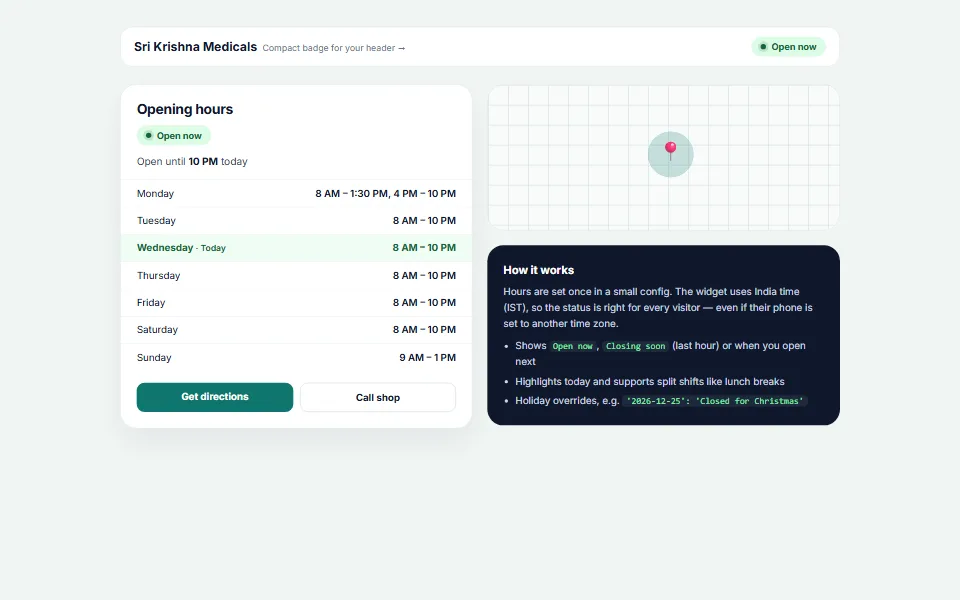
Live "Open now / Closing soon" status in India time
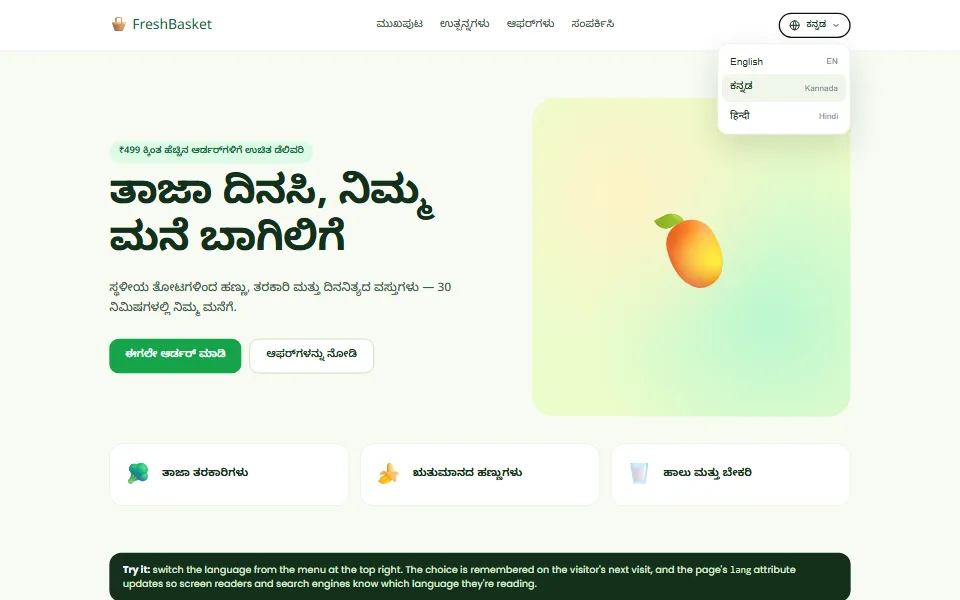
English · ಕನ್ನಡ · हिन्दी switcher that remembers each visitor's choice
Tell us what you need — a customised template, a full website, an online store or an app. We usually reply within one working day.